
In this lesson we will learn about, Default (beginning) Scratch Window and Main parts of the Scratch Window.
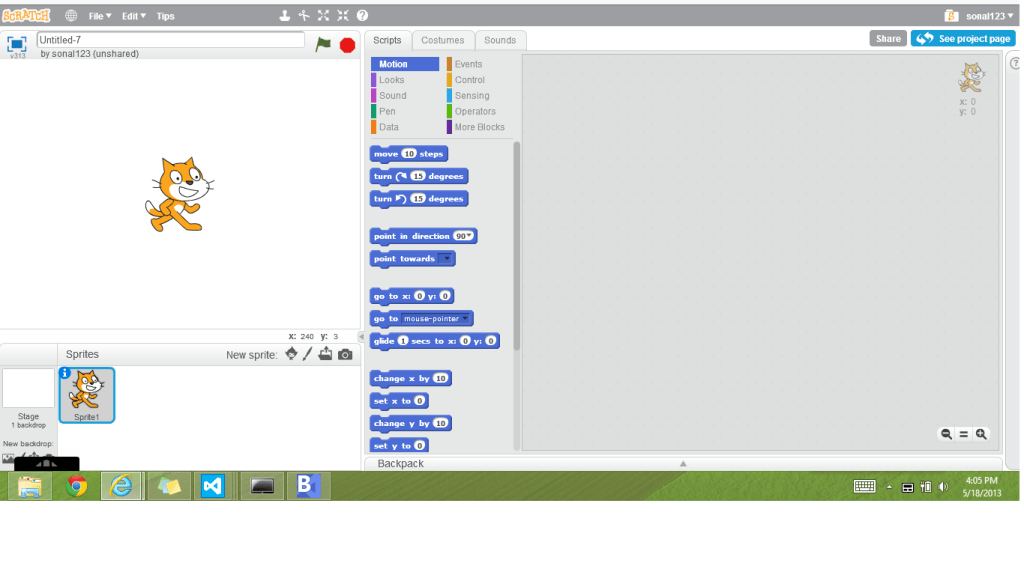
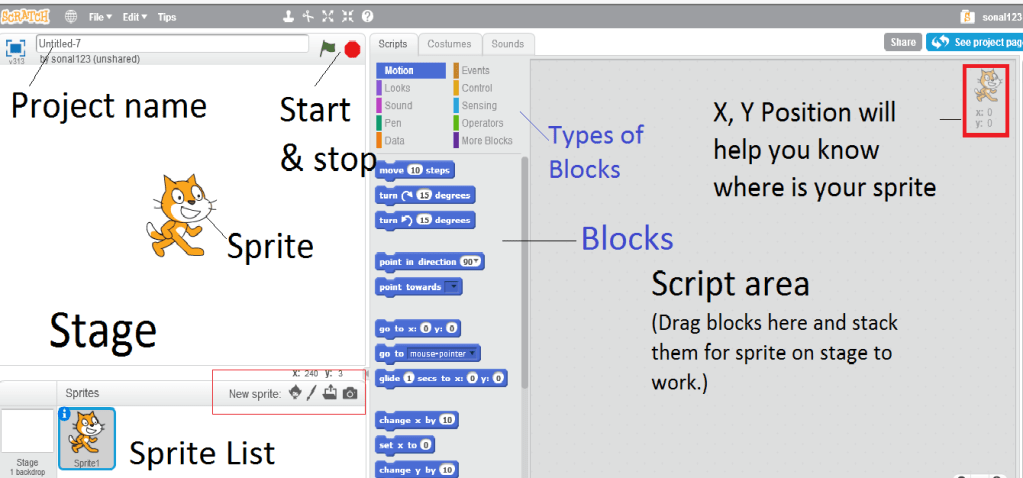
Following is the Scratch window. You will work in this window all the time if you want to make your own Scratch game or animation or story. Give it a look and then in the next diagram know its labels.
Know important parts of Scratch Window :
Or Watch this video from scratch.mit.edu, scratchEd team, made for CCOW :
Before going forward you may wonder Why introduce young kids computer programming? OR What is Scratch? Why and How to use it.
If you like to go through detailed step by step process, click Let’s make a cat dance here!
//
 Programming for kids
I stumbled across your page by accident but i’m happy i’m here. Very good things i’m reading.
LikeLike