
Following 2-minute video shows how to change stage background, animate (or dance) a sprite and add music loop. (This video is shared on Scratch Website, and I’m shwoing it here with due reference.
What are we learning here?
- Event : clicking green flag is event (to start the project).
- Sequence : get next costume after every 0.5 seconds ( for dance moves)
- Loops : Make those dance and play sound instructions repeating with “repeat forever” control.
- Computational Concepts of
The sequence of changing next costume (or changing images in small amount of time) is known as ANIMATION. So here, we are animating the girl sprite!
Scratch Blocks like
- Contorl block : When green flag clicked, forever, wait 1 sec
- Looks block : next costume
- Sound block : until done
Now it is your turn to add twists and turns to make a sprite dance in Scratch. Change different sprites and costumes 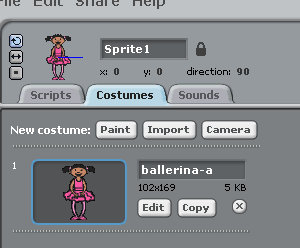 and also try to change the wait time
To make it more fun or wired looking dance, use color and graphic effects like this project here.
If you are ready to do dance more, Create a dance party on Scratch Stage
 Programming for kids