
Now that we know, how to add sprites and background on the stage, it is time to give those sprites some movement.
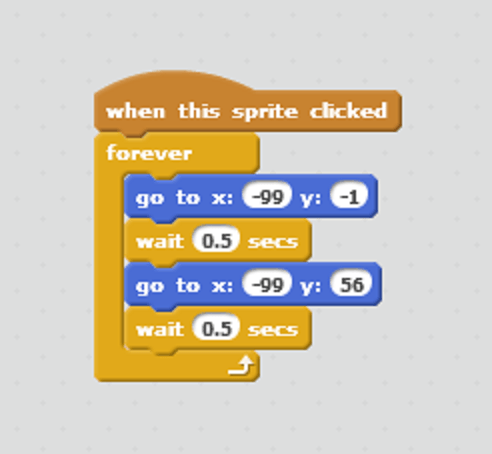
What we want to do: Give a sprite jumping movement.
1. Start adding a new background and a sprite of your choice on the Scratch stage.
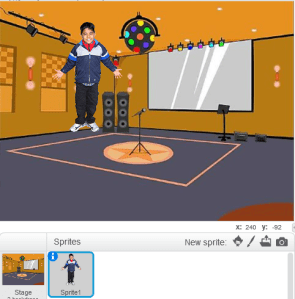
2. Add following blocks to the script of that sprite.
 Programming for kids
that was awesome!
LikeLike
Hi Ned, great you liked it!! Hope you can make many more Scratch projects and share them…
LikeLike